 NitroWarpNitroWarp
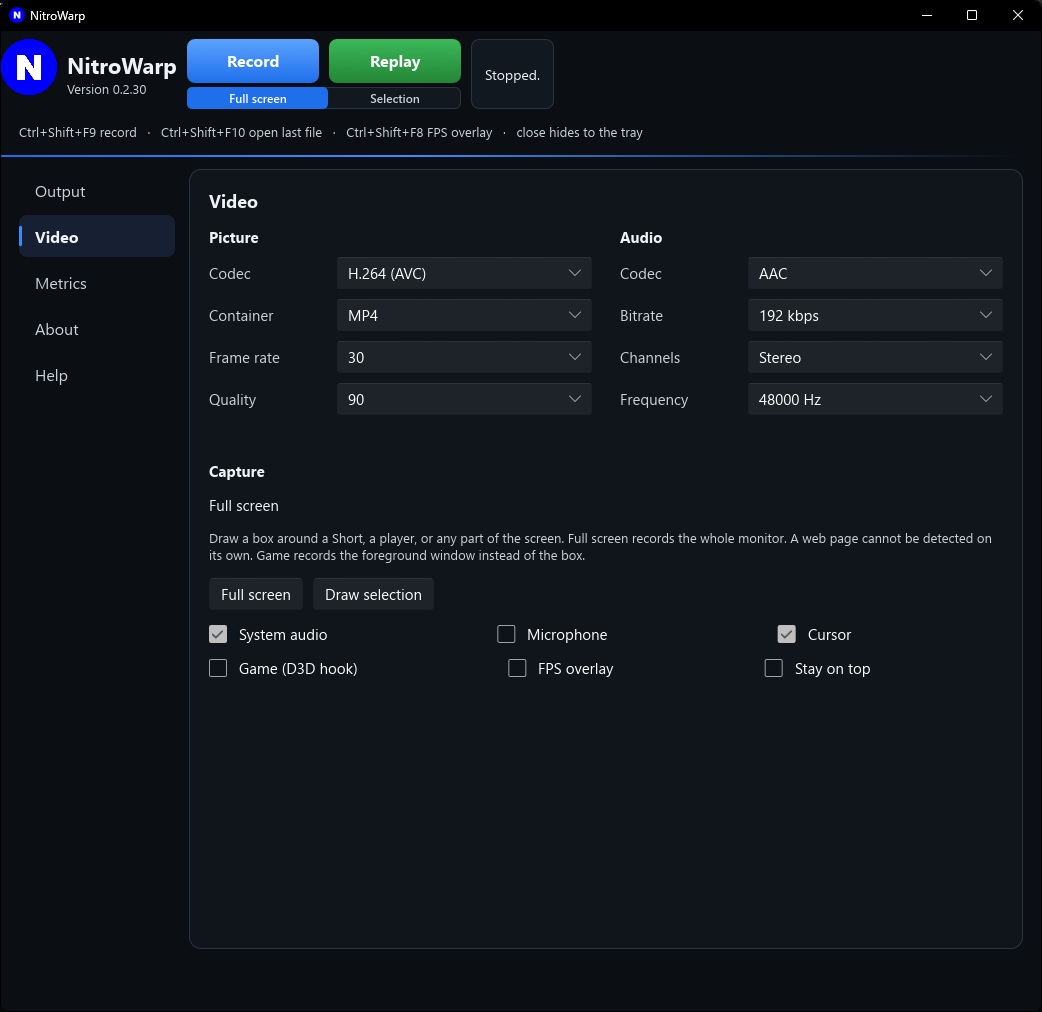
Sound settings are on the Video page, under the picture settings. The capture checkboxes choose what is recorded. The codec settings choose how that sound is stored.
 Open full size
Records what the computer is playing: a game, a video, music, a browser, and notification sounds. Loopback means NitroWarp takes that sound inside the computer, before it reaches the speakers, so you do not need a cable or a microphone pointed at the speakers.
Leave System audio checked when the viewer should hear what you hear.
Records your voice, or any other microphone. Turn it on for narration, a tutorial where you talk, or commentary over a game. Leave it off when you are not speaking, so room noise is not in the file.
Both can be on at once. The system sound and your voice are mixed into the file. If both are off, the video is silent.
NitroWarp uses shared mode. It does not take exclusive control of the speakers or the microphone. Other programs, including TransWarp, can keep using the same devices while you record.
The audio codec compresses the sound. It is separate from the video codec, and separate from the System audio and Microphone checkboxes.
AAC is the one to keep. It sounds clean, the files stay a practical size, and it plays in editors, on phones, and on YouTube. It belongs with an MP4 file.
Bitrate is how much sound data is stored each second, for AAC and Opus. NitroWarp starts at 192 kbps. 192 or 256 is the useful range for a screen recording with music or a game. 128 is enough for a voice alone. 320 is near the top of what AAC uses. Speech stays clear at a lower bitrate than music does.
PCM ignores the bitrate box. That box is gray, because the size is fixed by the frequency and the channel count. 16-bit PCM at 48000 Hz in stereo is 1536 kbps.
Channels is Stereo or Mono. Stereo keeps left and right, which is what headphones play. Mono mixes everything to one channel and is about half the size. Use Stereo unless you are recording one voice and want a smaller file.
Frequency is how many sound snapshots are taken each second.
For most recordings: AAC, 192 kbps, Stereo, 48000 Hz.